

Napkin AI helps express an idea visually: text can become a schematic, sequence of steps, idea map or chart. You can then edit the elements and move the result into a presentation or document.
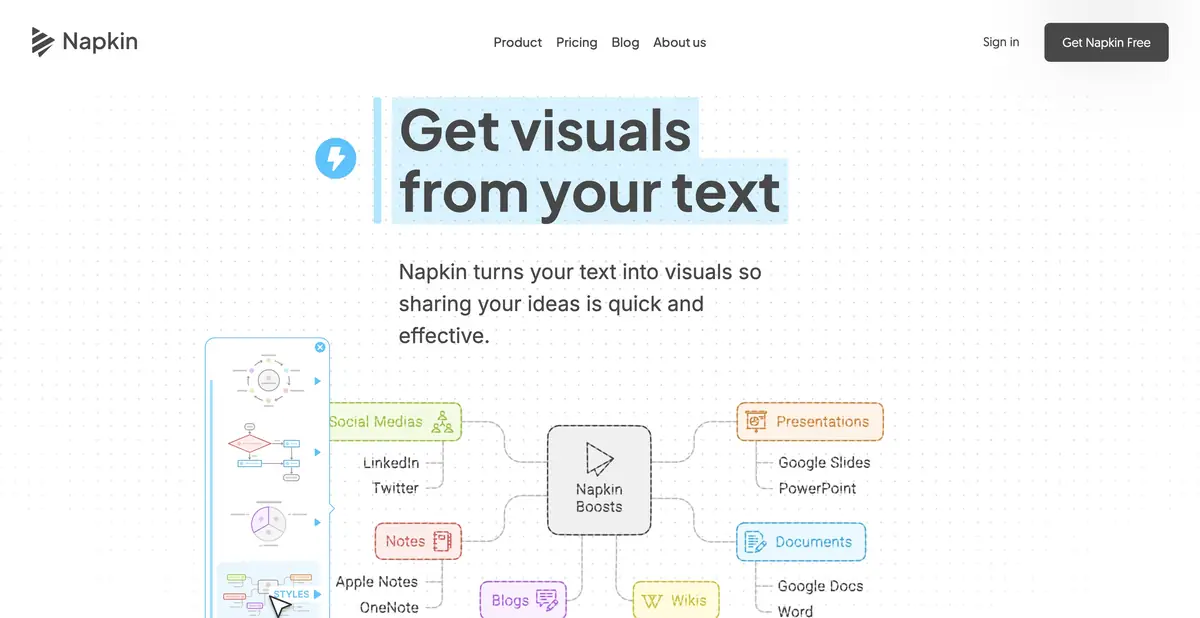
When a paragraph works better as a diagram
Some explanations are difficult to read, not because of terms, but because of hidden connections: what happens first, where the choice arises, and which parts belong to one group. Napkin AI offers to turn the source text into a visual representation. You can start with an explanation already written, and not with a long description of the future picture.
The service is designed primarily for communication of ideas. It does not prove causality just because it drew an arrow, nor does it check the original numbers instead of the author. Before generating, it is useful to decide what exactly to show: order, comparison, structure or real data.
Edit content along with design
After generation, you can choose a suitable variant and change its elements, colors and style. The official product describes diagrams, idea maps, flowcharts and charts, along with importing supported documents. Presentation capabilities continue to evolve; check the feature set of each mode separately.
The main check is the meaning of the connection. A sequence may simply be a list rather than a process; adjacent items do not necessarily affect each other. Fix this first, then choose colors, icons and label sizes.
Example: explain an inquiry's path through a small team
Write a short description: who receives a request, what information is checked, who gets the work and how the result is communicated. Request a process view showing owners and branches. Then trace a typical real request from start to finish.
If the diagram lacks a step for returning to collect missing data, add it manually. Do not show a deadline or owner the team has not agreed on.
Transfer a diagram to a document
PNG, PDF, SVG and PPT are officially documented; format availability depends on the plan. A raster image is suitable for simple placement, while an SVG or presentation file is useful when further editing is needed. Check that labels remain legible when reduced to the document's actual size.
Automate generation via API
Napkin has an official API: it accepts text and returns finished visual files through a sequence of asynchronous requests. The API uses account quotas; it is not a separate unlimited channel. Uploading a document in the web application and submitting a text API request are different input methods.
Free plan and quality of results
The free tier includes recurring credits and basic export options; paid plans expand usage, styling and formats. Before creating a large set of materials, check watermarks, brand styles, export options and your current credit balance. Exact prices and quotas are not fixed here.
For a data chart, compare every value with the source table. For a diagram, check arrow directions, exceptions and labels. Even polished infographics can mislead if visual emphasis does not reflect actual meaning.
Suitable tasks
- Turn the explanation of the process into a clear flowchart
- Build an idea map from your own notes
- Prepare an editable illustration for a presentation
- Automate text visualization through the official API
Strengths
- Working from source text, as well as a visual prompt
- Editable elements and styles
- Raster, vector and presentation export
- Official API with documentation
Limitations
- The direction of links and facts is checked by the author
- SVG and PPT depend on the plan
- The API accepts text, not arbitrary uploaded PDFs
- Credits, watermarks and branded features have limitations
Selection and conditions
- Free access
- Yes
- Trial period
- Not confirmed
- No sign-up required
- Not confirmed
- Russian interface
- Not confirmed
- Local installation
- Not confirmed
- API
- Yes
“Not confirmed” means there is not enough information. The feature may still be available; check the developer’s terms.
- Input formats
- Text, Document
- Result
- Image, Vector, Presentation
Terms
The free plan includes credits and PNG/PDF export; PPT, SVG and branding features depend on the plan. The API accepts text and uses account quotas.From task to first result
Practical example
- Task
- Turn the explanation of the process into a clear flowchart
- What to prepare
- A short, accurate workflow description: who starts an action, which steps follow and where branching occurs.
Task brief or prompt
Task: turn the description into a clear diagram with stages and branches. Preserve actual relationships; do not invent participants, deadlines or causal links. After generation, follow one typical example through the diagram.
Expected result
An editable visual diagram whose meaning the author checks against the source description.
How to check the result
- Check the direction of the arrows, exceptions and missed steps.
- Make sure that the captions are readable at the actual insertion size and the desired export format is available.
An editorial teaching example of a task brief, not the result of hands-on testing of the service. Check that the required mode is available, that you have rights to the source material and that the intended use of the result is permitted.
Check details
Official sources
- Text visualization and Napkin formats
- Plans and export availability
- Features of the official API
- API documentation, input and formats
This description is based on the developer’s material. Features, prices and availability may change; check the primary source before use.