

LanguageTool helps check your writing for language errors and consider style suggestions. The product has a web interface, extensions, programmatic access and an open-source core.
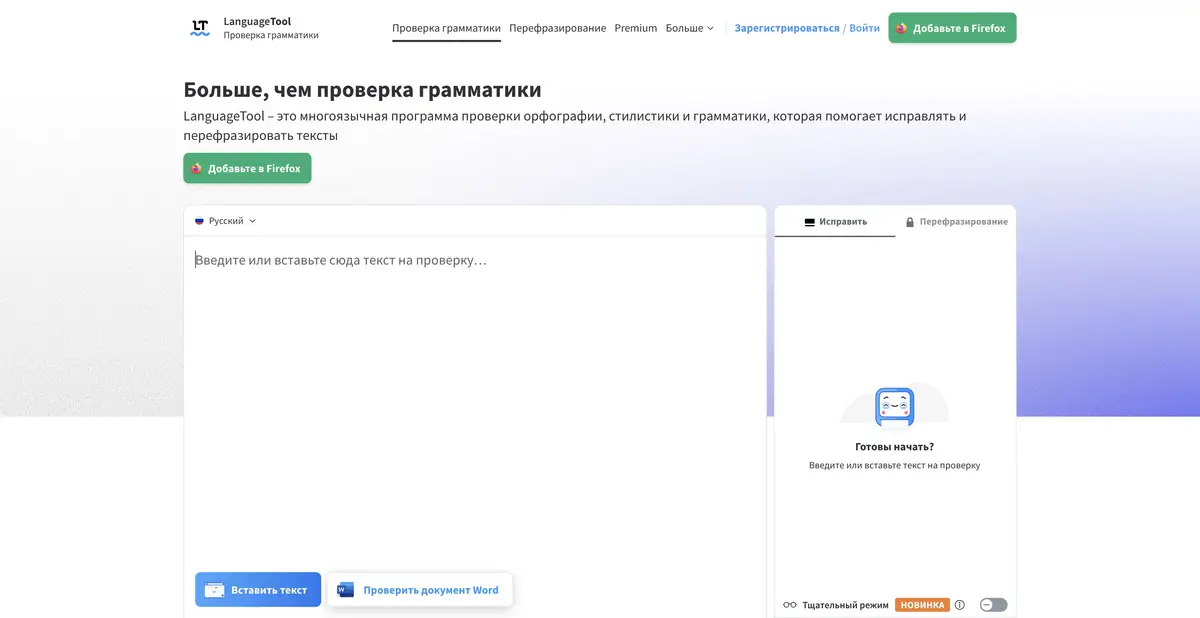
Edit thoughtfully rather than accepting every suggestion
LanguageTool highlights potential text problems and suggests edits. Distinguish obvious typos, debatable punctuation and stylistic advice. A tool suggestion is a reason to check a phrase, not an instruction to change the author's text.
Check names, product names and specialist terms particularly carefully. An uncommon word is not necessarily an error. For recurring work, maintain an agreed glossary so editing preserves the team's terminology.
Multilingual checking across product interfaces
The service has a Russian interface and support for several languages. The sets of rules and advanced features differ in languages: the promise for English cannot be automatically transferred to Russian. Check AI paraphrasing capabilities separately from the usual spelling check.
The official ecosystem includes browser extensions and integrations with editors. Understand which text an integration sends for checking and where it is enabled. An extension does not need access to every private work field simply because it is available.
Example: proofread a reply to a customer
Run a language check on your own delivery-time response. Correct obvious typos first, then review clarity suggestions. Check that dates, conditions and negations remain unchanged: "not included" and "included" can look equally polished after a bad edit.
Read the entire text. If the style has become too formal for a short message, return the appropriate author's wording.
API and self-hosting
LanguageTool publishes API documentation and an open-source core. This lets you use language checking in your own system and study its rules. The open local component does not provide all cloud Premium capabilities, particularly generative modes.
What is outside the local core
For integration, consider request limits, text volume, personal-data processing and commercial-use rules. Self-hosting requires maintaining the environment and updating rules. Open source does not guarantee all the paid service's features.
Free, Premium and limits of automatic verification
Free features and paid Premium with expanded checking and additional modes are available. Limits differ by language, plan and usage method. Check the current offering on the official site, especially for a specific paraphrasing feature.
Language correctness does not confirm the facts, compliance with the contract or the admissibility of the publication of other people’s material. After checking, check the content with the source documents. The tool helps to reduce the number of errors in the form of text, and the responsibility for meaning remains with the author.
Suitable tasks
- Check spelling and punctuation of your own text
- Review style suggestions without losing meaning
- Use language checking through a browser extension
- Integrate language checking through the API or open-source core
Strengths
- Russian-language interface and multilingual proofreading
- Official extensions and API
- An open-source core for self-hosting
Limitations
- The set of rules and generative functions differs by language
- Suggestions can be wrong or alter the intended authorial style
- The local open-source core does not include all cloud Premium features
Selection and conditions
- Free access
- Yes
- Trial period
- Not confirmed
- No sign-up required
- Not confirmed
- Russian interface
- Yes
- Local installation
- Yes
- API
- Yes
“Not confirmed” means there is not enough information. The feature may still be available; check the developer’s terms.
- Input formats
- Text
- Result
- Text
Terms
Free and Premium differ in language support and features. The open-source core supports basic checking, but does not match the cloud-based generative modes.From task to first result
Practical example
- Task
- Check spelling and punctuation of your own text
- What to prepare
- Your own draft business message with names and internal data removed.
Task brief or prompt
Task: check spelling, punctuation and grammatical agreement, and consider style suggestions separately. Accept only changes that preserve the original meaning; check corporate terminology against the dictionary.
Expected result
A corrected draft with reasons for accepted changes that the author understands.
How to check the result
- Do not accept every suggestion automatically.
- Check personal names, titles and the meaning of negations after editing.
An editorial teaching example of a task brief, not the result of hands-on testing of the service. Check that the required mode is available, that you have rights to the source material and that the intended use of the result is permitted.
Check details
Official sources
- Official LanguageTool
- Russian-language interface
- Premium features
- Official open source code
- HTTP API Help
This description is based on the developer’s material. Features, prices and availability may change; check the primary source before use.