

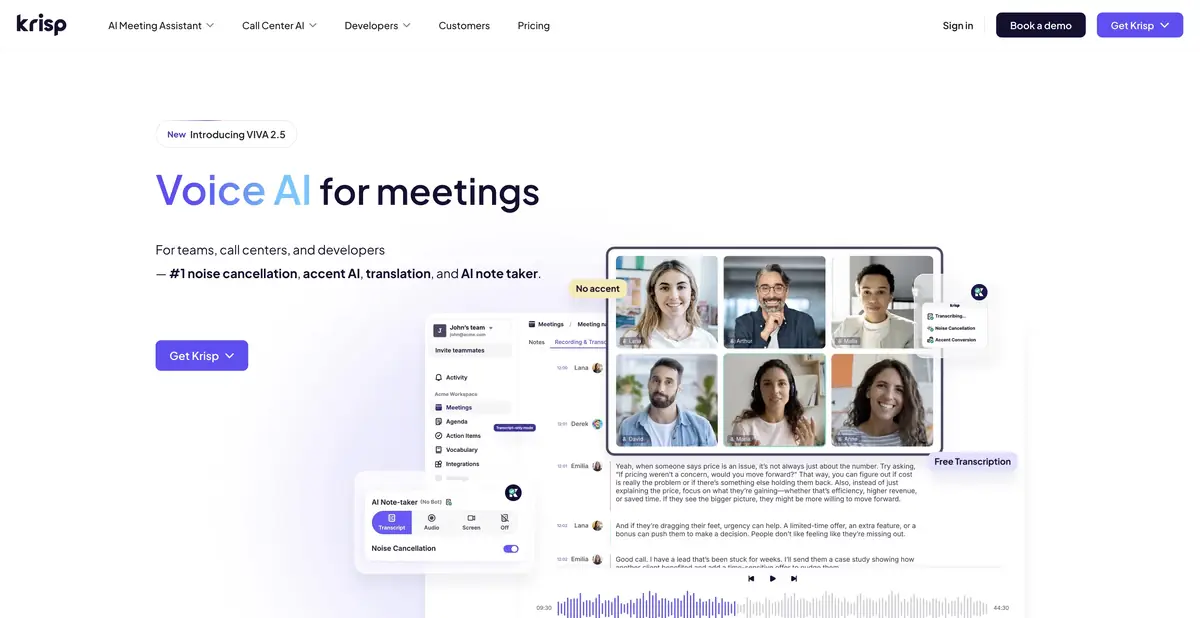
Krisp combines real-time voice processing with meeting recording and analysis. Users can make conversations easier to hear and separately arrange transcription and summaries.
Two different tasks in one conversation
Background noise makes it difficult to hear the other person, while missing notes make it hard to recall decisions after a call. Krisp addresses both tasks with noise suppression and meeting tools for transcription, notes and action items. These are related but distinct modes.
Noise suppression is applied to the audio signal, whereas textual results require recognition and subsequent analysis of speech. It is important to separate them when choosing a plan and setting up privacy: the conditions for local processing of one function cannot be automatically extended to the entire product.
Sound processing and meeting content
The official site describes removal of background noise, other voices and echo, plus additional voice features. Supported modes can record and transcribe meetings, then produce summaries and action items. Desktop and mobile app capabilities differ.
On-device local transcription is stated for English; other language modes may use server processing. The local-processing flag in the comparison therefore indicates an available capability, not a promise that every recording in every language stays solely on the computer.
Example: a call from a room with constant background noise
Before an important meeting, check the selected input and output devices, then make a short test recording. Listen for clear consonants and check that quiet remarks are not cut off. If background noise is suppressed but speech becomes less intelligible, change the setting.
After the conversation, check names, numbers and decisions in the transcript. Do not judge quality solely by the absence of noise: clear audio does not guarantee correct interpretation of a specialist term.
For teams and developers
Krisp offers separate solutions for organizations and developers: SDK for voice processing and a documented Voice Translation API. These are stand-alone ways to incorporate technology into an app or work system; they are not equal to a personal subscription to the notes of meetings.
During deployment, clarify which component runs on the device, what data is sent to the server and where logs are stored. Check participants' consent, retention rules and integration permissions. Automatic note transfers to another system should include only necessary, verified information.
Subscriptions and real restrictions
The current Meeting AI page describes a trial period and paid tiers. Do not confuse a trial with a permanent free plan: read the terms for the end of trial access, billing and included features before signing up. SDKs and APIs have their own commercial and technical terms.
Krisp cannot recover all lost speech or resolve vaguely worded agreements. Noise, overlapping voices, microphone quality and the language model affect results. Listen to and confirm critical passages separately.
Suitable tasks
- Reduce background noise and echo in a supported call
- Prepare a transcript and notes for a work meeting
- Check local mode for appropriate speech processing
- Embed voice functions via official SDK or API
Strengths
- Voice processing and meeting tools in one product
- There are documented local modes
- Enterprise solutions and developer tools
- Meeting AI and voice platform features are clearly distinguished
Limitations
- Local processing is not available for all languages and functions
- Mobile and desktop applications have different capabilities
- Noise suppression does not guarantee accurate transcription
- A trial period and personal subscription do not automatically include all APIs
Selection and conditions
- Free access
- Not confirmed
- Trial period
- Yes
- No sign-up required
- Not confirmed
- Russian interface
- Not confirmed
- Local installation
- Yes
- API
- Yes
“Not confirmed” means there is not enough information. The feature may still be available; check the developer’s terms.
- Input formats
- Audio
- Result
- Audio, Text
Terms
Meeting AI offers a trial and paid plans. Some modes run locally, including English transcription; other languages and AI features may use servers.From task to first result
Practical example
- Task
- Reduce background noise and echo in a supported call
- What to prepare
- Your own voice in a short test recording with the usual background noise of your workplace.
Task brief or prompt
Task: select the required input and output devices, enable an appropriate voice processing mode and compare test audio. Check that background noise is reduced while quiet speech and word endings remain distinct.
Expected result
A checked voice setup for a conversation; processing does not guarantee perfect audibility or transcription.
How to check the result
- Listen to quiet phrases and words with similar consonants.
- Check which parts of processing run on the device and which use a server.
An editorial teaching example of a task brief, not the result of hands-on testing of the service. Check that the required mode is available, that you have rights to the source material and that the intended use of the result is permitted.
Check details
Official sources
- Krisp: voice functions and local modes
- Meeting AI plans and trial period
- Official SDKs and Voice Translation API
This description is based on the developer’s material. Features, prices and availability may change; check the primary source before use.