InvokeAI combines generation and manual work on canvas. The existing open project is being developed by the community; the former official cloud platform is closed.
The image remains the center of work
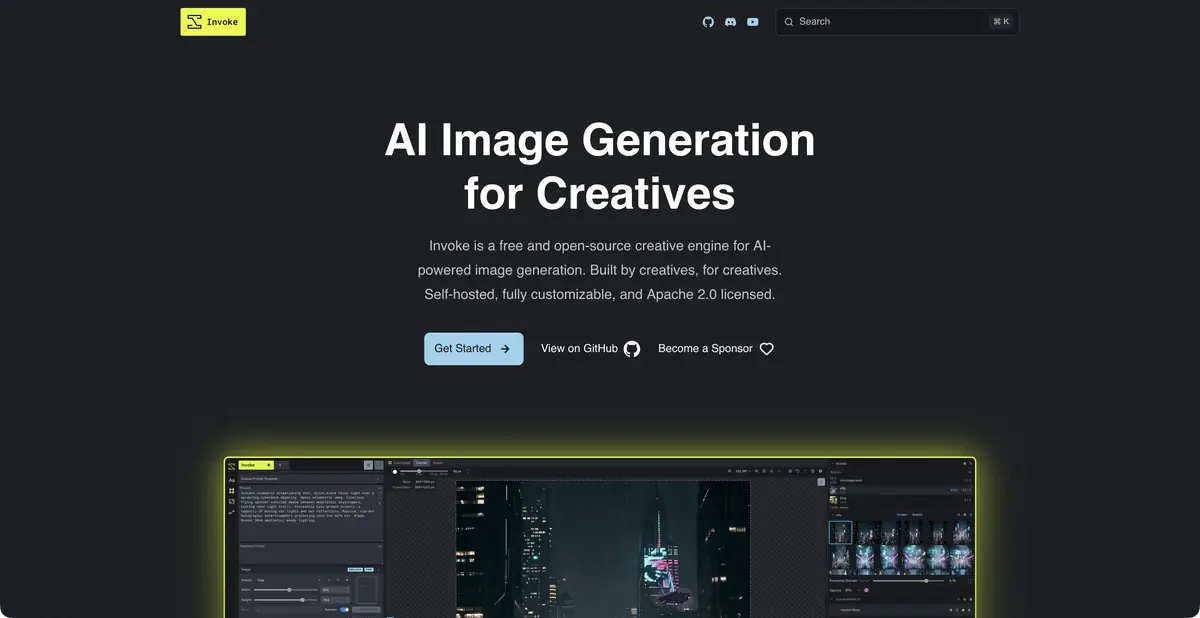
InvokeAI suits artists who need to see the composition and edit a specific part of an image. The editor provides a canvas with layers, brushes and masks, text-to-image generation and refinement of uploaded images. You can extend a scene or regenerate an area while retaining the rest of the work. Results depend on the selected model weights and settings; the interface helps organize the sequence of operations.
Nodal processes are provided for complex tasks. It makes sense to connect them after mastering a conventional canvas: first understand where control is needed, then fix the repeated steps in the workflow. This reduces the number of variables when looking for the cause of a bad result.
What is installed on the computer
The official documentation describes a free, open-source application for self-hosting. A local server supplies the browser interface, while generation using installed model weights runs on your hardware. Before downloading models, check operating-system support, GPU compatibility and available memory.
The model manager helps to work with weights and additional components. The availability of a specific model cannot be deduced only from the name of InvokeAI: see the current documentation and the requirements of the selected release. External connections, if you add them, change the boundaries of locality and data processing conditions.
Example: finish drawing the background around the sketch
Present your own drawing of the table lamp to discuss the form. Place it on the canvas, protect the object itself with a mask and highlight the space around. In the task, specify a quiet workshop, scattered light and the absence of inscriptions. First, work with a small area to appreciate the combination of drawing lines and new background.
After each change, check the lamp stand, shade and contact point with the table. If the mask includes the object’s edge, adjust the selection rather than trying to fix everything with a longer prompt. Save the original sketch and composition variant separately. This draft helps discussion but does not establish that the lamp’s design will work.
Where the shell ends
In the gallery you can organize images and return to generation information. However, the open application license and the licenses of the connected models are different. The commercial suitability of the result is evaluated for specific weights, materials and method of use. Hardware setup and environment support also remain part of the self-start.
On the official website, it is directly indicated that the former hosted platform is closed after the transition of the founders to Adobe. Therefore, the old cloud subscription purchase instructions do not describe current access. For a new project, focus on the open InvokeAI, its current documentation, installer and community of accompanying developers.
Suitable tasks
- Refine individual image areas
- Expand the background around your own sketch
- Organize a local creative process
Strengths
- Canvas, layers and masks
- Open source and self-hosting
- Gallery and Node Processes
Limitations
- Compatible equipment is needed
- Weight licenses are checked separately
- Previous official cloud service is closed
Selection and conditions
- Free access
- Yes
- Trial period
- Not confirmed
- No sign-up required
- Not confirmed
- Russian interface
- Not confirmed
- Local installation
- Yes
- API
- Not confirmed
“Not confirmed” means there is not enough information. The feature may still be available; check the developer’s terms.
- Input formats
- Text, Image, Mask
- Result
- Image
Terms
Open-source InvokeAI runs locally with installed models. The former hosted platform has closed. A generally supported product API has not been independently confirmed; external models and licenses require separate assessment.From task to first result
Practical example
- Task
- Refine individual image areas
- What to prepare
- Own photo of the item, compatible installed model and small working processing workflow.
Task brief or prompt
Work assignment: to collect a workflow from the source load, one processing operation and save the result. Make two branches with different change force, keeping the same source data. Write model names, node versions and parameters. Enter the generation text only in the node provided by the model.
Expected result
Two images and a stored process diagram; portability depends on the installed models and nodes.
How to check the result
- Compare the shape and inscriptions of the object in both branches with the source.
- Check for workflow dependencies, weight licenses and the presence of external calls.
An editorial teaching example of a task brief, not the result of hands-on testing of the service. Check that the required mode is available, that you have rights to the source material and that the intended use of the result is permitted.
Check details
Official sources
This description is based on the developer’s material. Features, prices and availability may change; check the primary source before use.