

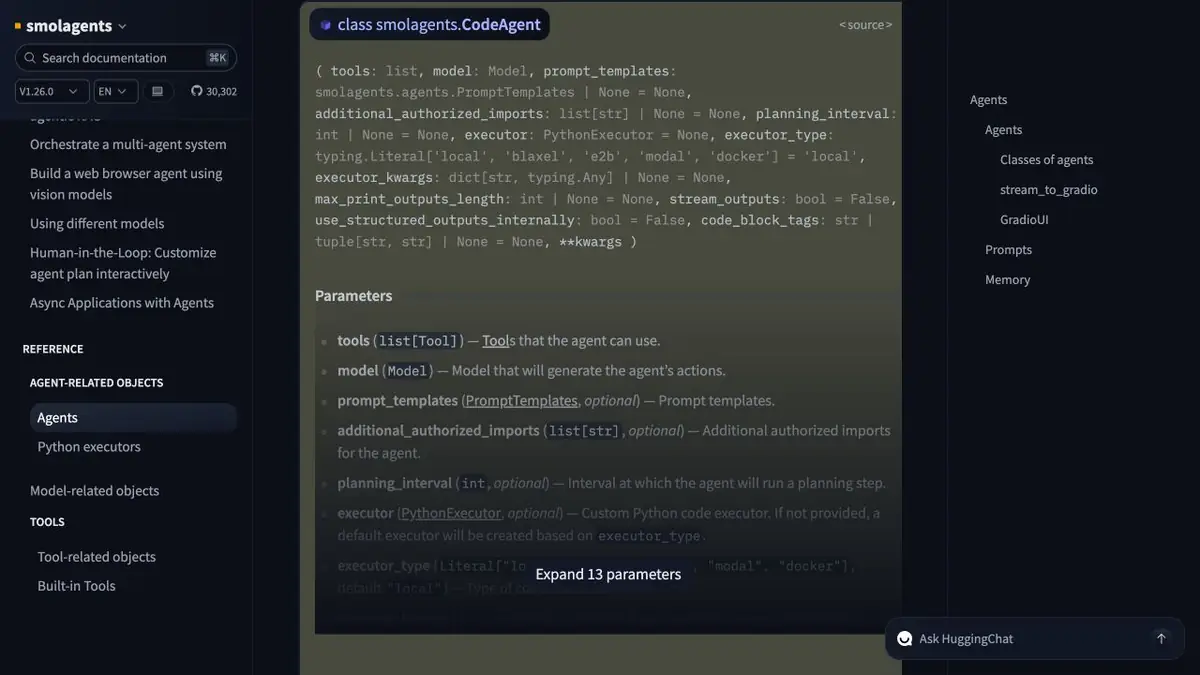
In CodeAgent, the model records steps like Python, which are then run by the configured performer. The list of tools and the boundaries of the environment are set separately.
When the agent is comfortable to consider himself
A reporting assistant can group spreadsheet rows and calculate totals. CodeAgent in smolagents fits this scenario. The model produces a short Python snippet and the executor runs it in a configured environment. The application can return both the figures and the operations that produced them. If an existing function can do the entire job, expose it as a separate tool and compare the two approaches on the same data.
How to limit the training calculation
Take a table with imaginary expenses. Give access only to its copy and allow the necessary library for processing lines. First, ask to group the records and calculate the result. In the second request, intentionally specify a file outside of the allowed set. Check the failure on the executive environment log. The model’s claim that it read the file itself says nothing about the operation performed.
Results that can be verified
Run normal lines, empty value and repeat one entry. When you diverge, open the step code and find the place where the set of lines has changed. Before working with other people's files, separately check which directories are mounted, whether the network is available and what keys the process sees. The list of allowed imports helps to limit the code, and environmental rights set boundaries that persist even with a failed instruction for the model. Separately save the source data and the version of the allowed dependencies for rerun.
Suitable tasks
- Check Allowed Calculations over the Study Table
- Track tool call sequence
Strengths
- There is a code agent and an agent with tool calls
- The guide describes local and remote executors
Limitations
- Generated code needs isolation and a review of access permissions
- Results depend on the model and the connected tools
Selection and conditions
- Free access
- Yes
- Trial period
- Not confirmed
- No sign-up required
- Not confirmed
- Russian interface
- Not confirmed
- Local installation
- Yes
- API
- Not confirmed
“Not confirmed” means there is not enough information. The feature may still be available; check the developer’s terms.
- Input formats
- Table, Code
- Result
- Data, Code
Terms
The library is open source. Model usage, an external runtime, and compute may incur separate costs. Generated code needs isolation and a review of access permissions.From task to first result
Practical example
- Task
- Check Allowed Calculations over the Study Table
- What to prepare
- A training table of expenses and a separately created file to which the test agent does not have access.
Task brief or prompt
Calculate the amounts by groups of expenses. Use only the table that you have issued. Save the code and results of each check.
Expected result
A table of amounts and a log of permitted transactions in an isolated environment.
How to check the result
- Calculate the total for each group with manual calculation.
- Make sure the Executor rejects access to the file outside of the issued set.
An editorial teaching example of a task brief, not the result of hands-on testing of the service. Check that the required mode is available, that you have rights to the source material and that the intended use of the result is permitted.
Check details
Official sources
This description is based on the developer’s material. Features, prices and availability may change; check the primary source before use.