

Hedra Studio organizes media generation and editing in a shared team workspace. It combines Hedra’s own technology with external models; its API and infrastructure services have separate terms.
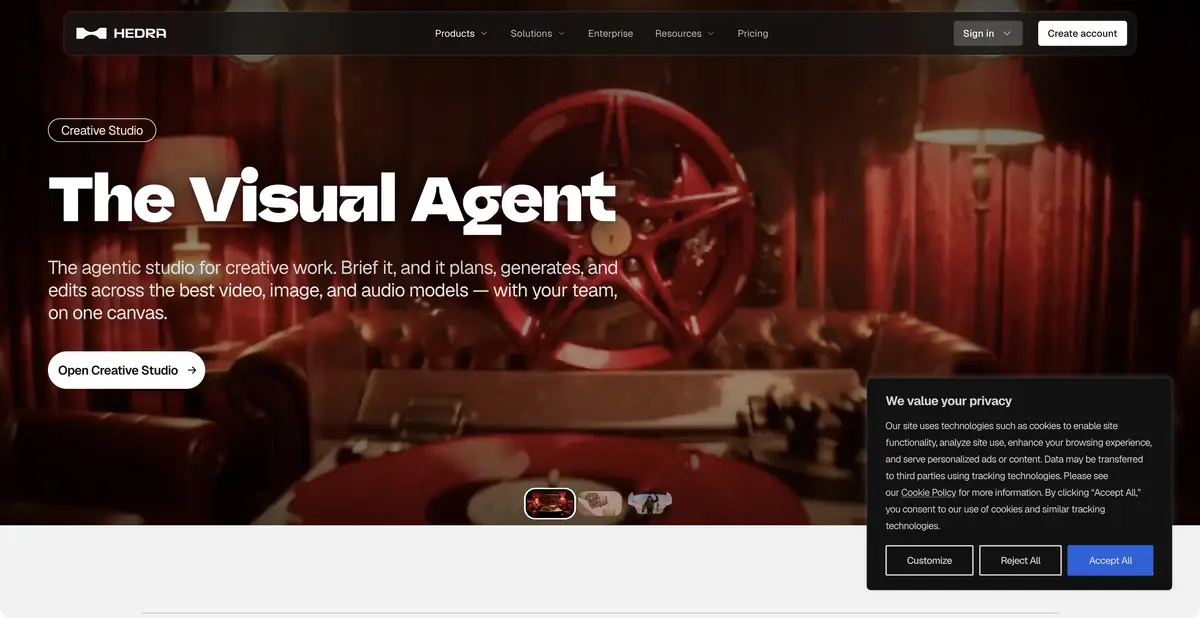
Creative project on a common canvas
When several people work on a video, the original portrait, a successful version, and an approved change can quickly get lost. Hedra Studio offers a shared workspace where an AI agent plans, generates, and edits media alongside the team. Its Skills help repeat workflows, while Elements stores characters, products, and visual references. These mechanisms give Studio its own creative workflow, even though its model selection includes external engines. Hedra’s homepage now also describes inference infrastructure; this does not mean Studio has closed.
Proprietary animation and external models
The official library includes a Hedra Avatar example: a single character drawing is animated to a voice track, with movement and synchronized speech. Other examples use external models and explicitly identify their providers. In practice, check the chosen mode rather than assuming one engine’s capabilities apply across the service. Music is labeled coming soon on the Studio page, so it cannot be promised as an available feature of this canvas.
A saved Element helps reuse a reference but does not prove every frame is accurate. For a speaking character, inspect the mouth, eyes, body movement, and detail consistency; for a product video, check shape, lettering, and proportions.
Example: The character explains the application
Use your own image of a fictional character and a short voiceover: “Open the list, select the required record, and save the changes.” Choose a suitable mode for animating an image to speech. Avoid complex camera movement in the first attempt so speech and shape consistency are easier to assess. Once approved, save the source assets and working version in the team workspace.
Inspect consonants, mouth closure, and phrase endings, then check eye movement and silhouette. For a real interface demonstration, prepare screen imagery separately from verified materials. Generation must not invent buttons or actions absent from the product. This is an educational task, rather than a published generation result.
How different access methods are billed
Studio, the API, and additional infrastructure services are available. The current API page describes a prepaid monetary balance and usage-based billing; this is not a universal rule for Studio subscriptions. MCP and CLI connect generation to agents, but billing and result retention terms differ. Current primary sources do not establish an ongoing free Studio plan.
Portraits and voices require the person’s consent and the relevant rights; branded objects require authorized source assets. Before a generation batch, check the selected mode’s cost, workspace members’ permissions, and the actual download format. A shared library helps teamwork but needs clear rules about who approves final versions and deletes unnecessary assets.
Suitable tasks
- Animate your character to a voiceover
- Review and approve media on a shared canvas
- Repeat the creative process through Skills
- Use saved visual references
Strengths
- The product’s own collaborative canvas
- Skills and Elements for repeatable projects
- A proprietary avatar workflow and official API
Limitations
- Functions depend on the selected model
- Studio subscriptions and API usage are billed differently
- Check character consistency throughout the video
Selection and conditions
- Free access
- Not confirmed
- Trial period
- Not confirmed
- No sign-up required
- Not confirmed
- Russian interface
- Not confirmed
- Local installation
- Not confirmed
- API
- Yes
“Not confirmed” means there is not enough information. The feature may still be available; check the developer’s terms.
- Input formats
- Image, Audio, Text
- Result
- Video
Terms
The current Studio is separate from the website’s infrastructure offering. API and Studio billing differ. Free access and local processing have not been established; Studio music is labeled coming soon.From task to first result
Practical example
- Task
- Animate your character to a voiceover
- What to prepare
- An original image of a fictional character and a short voiceover; the required image and voice rights are confirmed.
Task brief or prompt
Assignment: choose a mode that animates a character from an image and voice track. Speak only the prepared instructions, retain a recognizable silhouette, and keep movement calm. Before a complex scene, test a short excerpt without camera changes.
Expected result
A draft video with a speaking character that must be watched and listened to before use.
How to check the result
- Verify the spoken text and lip sync.
- Inspect eyes, outlines, and small details throughout the video.
- Do not add fake screens or actions when displaying a real app.
An editorial teaching example of a task brief, not the result of hands-on testing of the service. Check that the required mode is available, that you have rights to the source material and that the intended use of the result is permitted.
Check details
Official sources
- Official Hedra Studio
- Current billing and product offerings
- Official API documentation
- Proprietary Hedra Avatar animation
- Collaboration in Studio
This description is based on the developer’s material. Features, prices and availability may change; check the primary source before use.