

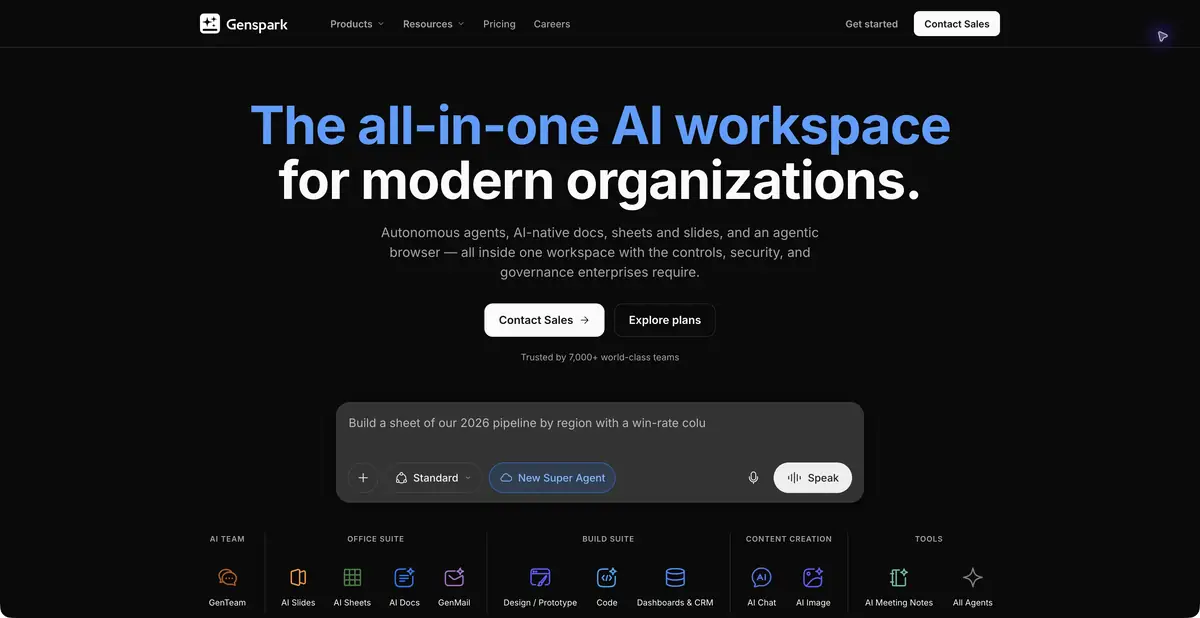
Genspark helps turn a task into editable work within one workspace. Although it prominently offers access to third-party models, it has its own agent workflows and editors for documents, spreadsheets, and slides.
Evaluate the entire work process
Business work often needs connected outputs rather than a single answer: research, a spreadsheet, and a short presentation. Genspark combines Super Agent with its own AI Docs, AI Sheets, and AI Slides, plus browser and integration tools. This lets you continue editing after generation. The workspace’s value depends on retaining sources and being able to fix a calculation or slide without restarting the whole task. A polished result cannot compensate for a faulty foundation.
The platform’s own editors and external models
Part of the official positioning promotes a shared subscription to different models. Genspark did not develop these models, and their capabilities should not be attributed to its own engine. The separate card is justified by documented workflows: an agent plans and performs steps, while documents, spreadsheets, and slides remain editable within the platform. If you only need a specific chat, compare that access offering’s terms.
Integrations add context and actions. Before connecting a production system, define what may be read and who reviews the result. An external page or imported file does not become a reliable source simply because an agent included it in a polished document.
Example: materials for the workshop meeting
Provide verified notes about your workshop’s services and an anonymized table of inquiries. Ask for recurring questions, a summary table, and several slides for internal discussion. Do not allow invented market shares, reviews, or competitor comparisons. Agree on the material’s structure before working on its design.
Check that the spreadsheet’s request count matches the source and the slides contain no profit conclusions absent from the data. Open the export in the target program and confirm the required editing is possible. This is an educational task, rather than a demonstration of Genspark results we obtained.
Plan, credits and verification limits
Official pages describe subscriptions, credits, file storage, and team tiers. Advertising that several subscriptions can be replaced does not mean equal access to every feature of the original services. Check specific model terms, workload allowances, and exports in the current plan. The sources used do not establish an ongoing free tier or a generally available API for this platform.
The catalog rating is restrained: a distinct office workflow is documented, but advertising covers much more than the verified set of use cases. Before adopting it, complete one full workflow with your own safe data and see where manual refinement is needed. Connecting team documents requires checks of permissions, storage, and what information is transmitted.
When moving content to a presentation, retain the table’s category names: subtle renaming may combine different requests and alter the meaning of the team’s discussion.
Suitable tasks
- Prepare a connected document, spreadsheet, and slides
- Consolidate materials for an internal meeting
- Plan multi-step research
Strengths
- The platform’s own editable office tools
- Super Agent organizes several steps
- Shared context and team connections
Limitations
- External models have separate limitations
- Marketing claims exceed the verified scenario
- Free access and a general API have not been established
Selection and conditions
- Free access
- Not confirmed
- Trial period
- Not confirmed
- No sign-up required
- Not confirmed
- Russian interface
- Not confirmed
- Local installation
- Not confirmed
- API
- Not confirmed
“Not confirmed” means there is not enough information. The feature may still be available; check the developer’s terms.
- Input formats
- Text, Document, Table
- Result
- Document, Spreadsheet, Presentation
Terms
Subscriptions use credits. The service includes external model access; this card covers its own office and agent workflows. Free access, local processing, and a general API have not been confirmed.From task to first result
Practical example
- Task
- Prepare a connected document, spreadsheet, and slides
- What to prepare
- Verified notes about your workshop and an anonymized inquiry table; no profit or market facts are provided.
Task brief or prompt
Identify recurring questions, compile a summary table, and prepare a short presentation for an internal meeting. Propose a structure first. Do not invent reviews, profit figures, market shares, or competitor comparisons. Link conclusions to the source data.
Expected result
Editable office drafts for further review: a spreadsheet, document, or presentation in an available mode.
How to check the result
- Check the number and categories of requests with the source table.
- Check that the slides do not contain conclusions that are not in the data.
- Open the export and check whether it is actually editable in the required program.
An editorial teaching example of a task brief, not the result of hands-on testing of the service. Check that the required mode is available, that you have rights to the source material and that the intended use of the result is permitted.
Check details
Official sources
- Official Genspark
- Standalone editors and an agent workflow
- Subscriptions and external models
- Official company and product architecture
This description is based on the developer’s material. Features, prices and availability may change; check the primary source before use.