Photo editor for retouching portraits and processing series. Settings can be transferred between pictures and checked before export.
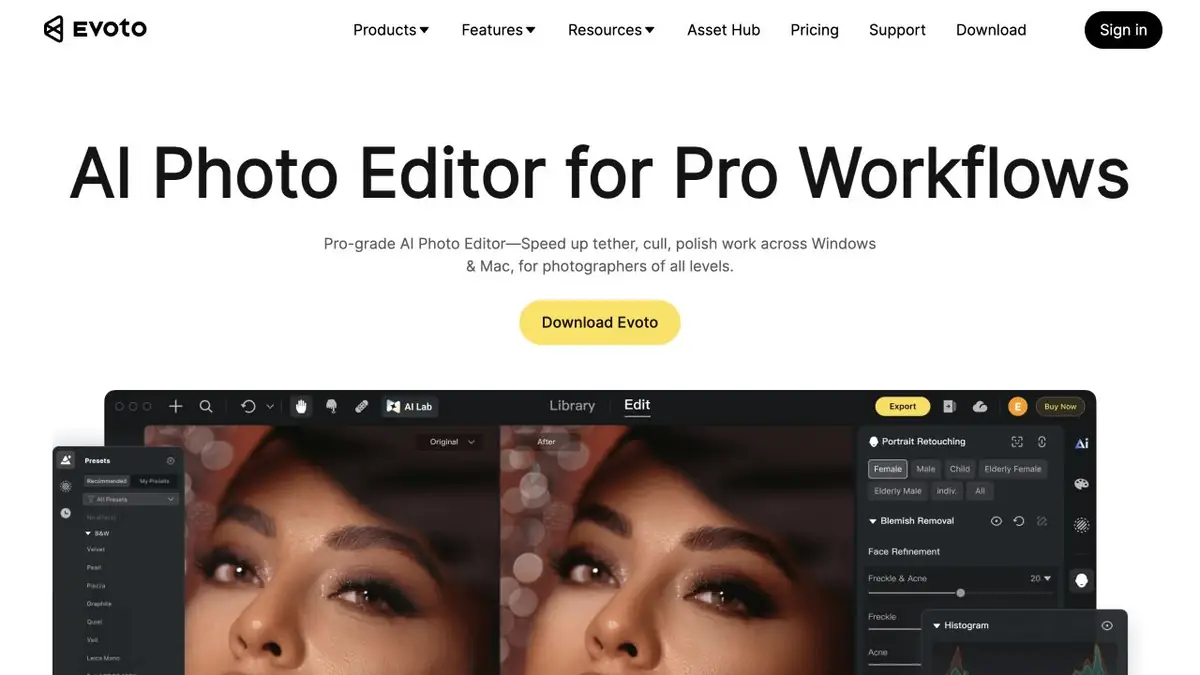
Processing of a series of portraits
Evoto Desktop combines portrait processing, color correction and background work. Parameters can be transferred to several pictures. This is useful in shooting where people changed and the light and background stayed the same. In areas with different lighting, a single setting can give too sharp a transition.
Start with a moderate correction in a few pictures. Close up the image and check the texture of the skin, eyebrows and hair edges. Each person will assess whether the characteristic features have remained. For the overall series, a similar level of processing is more important than the same position of each slider.
Example with team portraits
From the shooting of employees, choose a frame with soft light, a frame with glasses and a frame with dark hair on a dark background. Adjust the first portrait, transfer the parameters to the other two and compare the shadows. Then adjust the treatment separately where the automatic selection has captured the frame or blurred the clothing boundary.
Before uploading all files, show the customer a small set of examples. The decision on the degree of retouching is better agreed before transferring the settings to the rest of the shooting.
How loans are considered
In Evoto’s reference, credits are associated with the export of processed photos. Some operations have their own rules. First, specify how your format will be taken into account, and then calculate the budget for the entire shooting.
Evoto separately stipulates re-importation. If you remove a snapshot from the project and upload it again, it can be considered as new material when exporting. Therefore, first check the order of actions on a small collection and only then transfer the processing to all frames.
Suitable tasks
- Agree to retouch portraits of one shot
- Prepare the selection with the same light and color
Strengths
- Settings can be transferred to the series
- Local fixes are available in the editor
Limitations
- You need to check the skin and individual facial features
- The value of exports depends on the operations performed
Selection and conditions
- Free access
- Not confirmed
- Trial period
- Not confirmed
- No sign-up required
- Not confirmed
- Russian interface
- Not confirmed
- Local installation
- Not confirmed
- API
- Not confirmed
“Not confirmed” means there is not enough information. The feature may still be available; check the developer’s terms.
- Input formats
- Image
- Result
- Image
Terms
Desktop editor. Select the tools and check the export conditions for the desired version.From task to first result
Practical example
- Task
- Agree to retouch portraits of one shot
- What to prepare
- Your own well-lit portrait of someone who has agreed to the edit.
Task brief or prompt
Task: choose one available portrait effect, reduce its intensity and compare the result with the original photo.
Expected result
An edited portrait showing a clear change to the selected detail.
How to check the result
- Compare eye, mouth, hair and glasses contours at a larger size.
- Do not present a playful age transformation as a prediction of real appearance.
An editorial teaching example of a task brief, not the result of hands-on testing of the service. Check that the required mode is available, that you have rights to the source material and that the intended use of the result is permitted.
Check details
Official sources
This description is based on the developer’s material. Features, prices and availability may change; check the primary source before use.